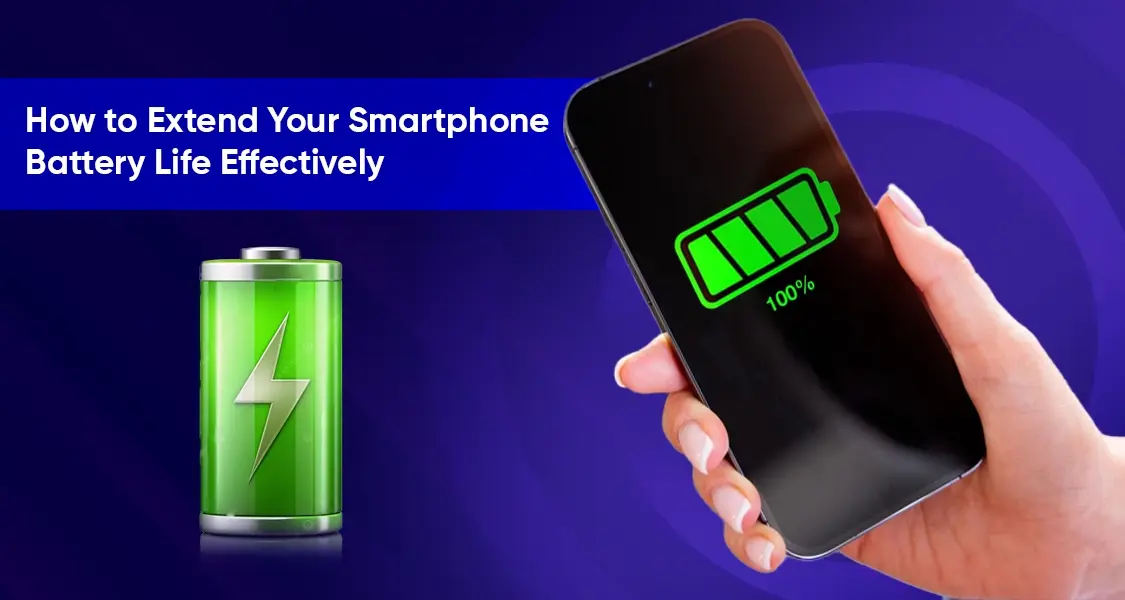
How to Extend Your Smartphone Battery Life Effectively?
Ever wondered why your phone drops from 100% to 20% before the day even ends? It’s not just bad luck—it’s science, usage habits, and sometimes poor optimization working together against you. In 2026, smartphones are more powerful than ever, but that power comes at a cost: battery consumption.
Modern smartphones use lithium-ion batteries, which are efficient but degrade over time. These batteries don’t just depend on size (mAh); performance is influenced by processor efficiency, display technology, and software optimization. Think of your phone battery like a fuel tank—not just about how big it is, but how efficiently the engine uses fuel.
Interestingly, average smartphone battery capacity has grown significantly—from around 1,500mAh to 4,500mAh over the past decade. Yet users still complain about battery life. Why? Because modern apps, high-refresh-rate displays, and constant connectivity consume more energy than ever before.
So, extending battery life isn’t about one magic trick—it’s about smart daily habits and understanding how your device works. Let’s break it down.
Why Your Battery Drains Faster Than Expected
Let’s be honest—most of us are unknowingly sabotaging our own battery life. Cranking brightness to 100%, running multiple apps, and staying connected 24/7 might feel normal, but your battery disagrees.
The biggest culprit? Your screen. It’s the most power-hungry component. Keeping brightness high or using a high refresh rate (like 120Hz) drains energy rapidly. Combine that with heavy app usage—like social media, streaming, or gaming—and your battery barely survives half a day.
Hidden Background Processes
Even when your phone is idle, it’s not really resting. Apps constantly refresh data, track location, and send notifications. This background activity quietly eats away at your battery.
Many users don’t realize that apps like Facebook, Instagram, and Google services are always active. They sync data, update feeds, and monitor activity—even when you’re not using them.
Optimize Display Settings for Maximum Savings
If your battery were a wallet, your display would be the biggest spender. Reducing brightness alone can significantly extend battery life.
Here’s what you should do:
- Enable auto-brightness
- Reduce screen timeout to 15–30 seconds
- Lower refresh rate from 120Hz to 60Hz when not needed
These small tweaks can make a noticeable difference. It’s like switching from a sports car to an eco-mode vehicle—you still get where you need to go, just more efficiently.
Dark Mode and OLED Advantages
Dark mode isn’t just trendy—it’s practical. On OLED screens, black pixels are essentially turned off, saving power.
Using dark mode across apps, especially at night, can extend battery life and reduce eye strain. It’s a win-win situation.
Manage Apps Like a Pro
Not all apps are created equal. Some are silent battery killers. The good news? Your phone shows exactly which apps consume the most power.
Check battery usage stats and look for:
- Apps running excessively in background
- High screen-on time apps
- Apps using location constantly
Limiting Background Activity
Once identified, take control:
- Restrict background activity
- Disable auto-sync for unnecessary apps
- Uninstall apps you don’t use
These steps alone can drastically improve battery life.
Smart Charging Habits That Preserve Battery Health
Here’s a golden rule many people ignore: Don’t always charge to 100% or drain to 0%.
Experts suggest keeping your battery between 20% and 80% for maximum lifespan. Think of it like maintaining a car—extreme conditions wear it out faster.
Fast Charging vs Battery Longevity
Fast charging is convenient, but frequent use can generate heat, which degrades battery health over time.
Use fast charging when needed, but rely on normal charging for daily use.
Connectivity Settings That Drain Power
Leaving connectivity features on all the time is like leaving lights on in every room—wasteful.
Turn off:
- Bluetooth when not in use
- GPS for unnecessary apps
- Mobile data when Wi-Fi is available
Airplane Mode in Low Signal Areas
In areas with weak signals, your phone works overtime to stay connected. Switching to airplane mode can save significant battery.
Advanced Tips for Power Users
Battery Saver Mode isn’t just for emergencies. It reduces background activity, limits performance, and extends usage time.
Use it:
- During travel
- When battery drops below 30%
- When you need your phone to last longer
Software Updates and Optimization
Updates often include battery optimization improvements. Keeping your device updated ensures better efficiency and performance.
Environmental Factors That Affect Battery Life
Extreme temperatures are battery killers. Cold weather can reduce battery performance by 30–40%, while heat accelerates degradation.
Avoid:
- Leaving phone in direct sunlight
- Using phone while charging in hot conditions
Storage and Usage Conditions
Even how you store your phone matters. If unused, keep it around 50% charge and in a cool place.
Comparing Battery Performance Factors
| Factor | Impact on Battery | Optimization Tip |
|---|---|---|
| Screen Brightness | Very High | Lower or use auto |
| Background Apps | High | Restrict usage |
| Signal Strength | Medium-High | Use airplane mode |
| Temperature | High | Avoid extremes |
| Charging Habits | Long-term impact | Follow 20–80 rule |
Future Trends in Smartphone Battery Technology
Battery technology is evolving rapidly. In 2026, we’re already seeing 8,000mAh to 10,000mAh batteries becoming mainstream, offering multi-day usage.
Emerging technologies like silicon-carbon batteries and solid-state batteries promise longer life, faster charging, and better safety.
Some smartphones now last 2–3 days on a single charge, redefining expectations.
Also Read: Best 10000mAh Power Banks in Pakistan
Conclusion
Extending your smartphone battery life isn’t about one big change—it’s about many small, smart decisions. Lower your brightness, manage apps, optimize settings, and adopt healthy charging habits.
Think of your battery like your daily energy. Waste it carelessly, and you’ll run out fast. Manage it wisely, and it’ll last all day—and longer.
Also Read: Best Mobile Accessories Every Smartphone User Should Own